Available for Android and iOS

Download 70bet2 – Download the App for Free and Play Anywhere

Take 70bet2 in your pocket. With the app you access slots, live casino, sports betting and your balance in real time — all optimized for your phone screen, smooth and hassle-free.

70bet2

Free Download

Choose the version for your device

The 70bet2 app is free, lightweight and runs well even on mid-range phones.

Android 6.0+

Android Download

Direct APK file, no Play Store required. Installs in seconds and runs smoothly even on modest Android devices. No ads, no unnecessary trackers.

Download for Android
APK
Format
~28 MB
Size
Android 6+
Requirement
Free
Cost
iOS 13.0+

IOS Download

Go to 70bet2.vu via Safari on your iPhone or iPad and add it to your home screen as a native app. Smooth interface, promotional notifications and quick access to your 70bet2 account.

Download for iOS
PWA
Format
~18 MB
Size
iOS 13+
Requirement
Free
Cost
Safe, virus-free download

The 70bet2 APK file 70bet2 for Android is distributed directly through the official website and goes through an integrity check before each update. Never download the app from third-party sites — always use the link on this page to ensure you are installing the legitimate version. For iOS, installation is done directly through Safari, with no risk of a corrupted file.


Step by Step

How to install the 70bet2 app on Android

Install the 70bet2 app 70bet2 on Android is simple and takes less than two minutes. Since the file comes from outside the Play Store, you need to allow installation from unknown sources — but this is a standard and safe process, as the APK comes directly from the platform's official website.

1

Access this page from your mobile device

Open your Android browser (Chrome, Samsung Internet, or any other) and go to the 70bet2 download page. The download button appears automatically for Android.

2

Tap "Download for Android"

The APK download starts automatically. Depending on your connection, it takes between 10 and 30 seconds. Wait for the download to complete before continuing.

3

Allow installation from external sources

If this is your first time, Android will ask for permission to install apps outside the Play Store. Go to Settings › Security › Unknown Sources and enable it for your browser. This only needs to be done once.

4

Install and open the app

Tap the downloaded file in the notification bar and confirm the installation. Within seconds the 70bet2 icon appears on your home screen. Done — log in or create your account and start playing.

70bet2
~28 MB
APK Size
Android 6+
Minimum version
< 2 min
Installation time
Free
No cost

iPhone and iPad

How to install 70bet2 on iPhone or iPad

On iOS the installation works differently from Android. Instead of downloading an APK file, you add the 70bet2 to your home screen directly through Safari, using PWA (Progressive Web App) technology. The result is practically identical to a native app: an icon on your home screen, full-screen launch, and quick access to everything the platform offers.

1

Open Safari on your iPhone or iPad

This process works exclusively through Safari. If you are using Chrome or another browser on iOS, copy the address and paste it into Safari before continuing.

2

Go to 70bet2.vu via Safari

Type the website address in the navigation bar and wait for the page to load completely. You can log in before adding to your home screen to make future access easier.

3

Tap the Share button

In the bottom bar of Safari, tap the share icon (square with an arrow pointing up). A list of options will appear — scroll down until you find "Add to Home Screen".

4

Confirm and you're done

Tap "Add" in the top right corner. The 70bet2 icon will appear on your home screen just like any other app. From then on, every time you open it via the icon, the site launches in full screen with no navigation bar.

70bet2
Tip for iPhone users

After adding to your home screen, open the app for the first time while connected to Wi-Fi. This allows the 70bet2 PWA to load and cache resources, making future sessions faster even on 4G.


Features

What you get inside the 70bet2 app

Everything the desktop version offers, optimized for your mobile screen without compromising speed.

Full Slots

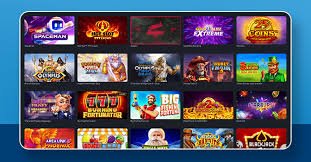
Access hundreds of slots from top providers — Pragmatic Play, Play'n GO, Hacksaw Gaming and more — directly on mobile, with the same graphic quality as the web version.

Live Casino

Roulette, baccarat, blackjack and game show tables streamed in HD with real dealers. The live casino experience on mobile runs smoothly, even on a stable 4G connection.

Sports Betting

Bet on Brazilian football, international championships, tennis, basketball and dozens of other sports. Odds updated in real time directly in the app.

Pix in the App

Make deposits and withdrawals via Pix without leaving the app. The QR Code is generated instantly, your balance updates in seconds, and withdrawals hit your account fast.

Bonus Notifications

Receive alerts for exclusive promotions, available free spins and reload bonuses directly on your phone. So you never miss a limited-time offer.

Biometric Login

On Android, you can set up access via fingerprint or facial recognition. No need to type your password every time — one tap and you are inside your account.

Optimized Performance

The app was built to use minimal memory and battery. You can play long sessions without your phone overheating excessively or the app freezing.

Built-in Support

The 70bet2 support chat works directly in the app, 24 hours a day. If you have any questions about withdrawals, bonuses or your account, support is just one tap away.

Automatic Updates

New games, features and performance improvements arrive automatically. You do not need to worry about downloading updates manually.


70bet2
App vs Browser

App installed or browser? See the differences

You can play on 70bet2 through your mobile browser without installing anything — and it works great. But the installed app offers some practical advantages that make a real difference day to day. See the comparison:

Feature App Installed Browser
Quick access from the home screen
Push notifications for bonuses
Fingerprint / Face ID login
Full-screen interface
Access to all games
Deposit and withdrawal via Pix
HD Live Casino
Offline cache (faster loading)

For frequent players, the installed app is the most practical choice. For occasional users, the browser works perfectly with no installation needed.


Technical Requirements

Minimum requirements to run the app

The 70bet2 app was built to run well on mid-range phones, not just the most expensive models.

Android

  • Operating system: Android 6.0 or higher
  • RAM: minimum 2 GB
  • Free storage: 50 MB
  • Connection: 3G / 4G / Wi-Fi
  • Processor: Qualcomm, MediaTek or equivalent
  • Browser required for installation: Chrome, Samsung Internet or Firefox

IOS (iPhone / iPad)

  • Operating system: iOS 13.0 or higher
  • Compatible models: iPhone 6s and later
  • Free storage: 30 MB (PWA)
  • Connection: 3G / 4G / Wi-Fi
  • Browser required for installation: Safari (required)
  • IPad: all models with iPadOS 13+
Connection tip for Live Casino

For HD live casino tables, we recommend a connection of at least 5 Mbps. If you are using mobile data, 4G LTE works well in most major Brazilian cities. On 3G, streaming may occasionally be slow — slots and sports betting work normally even on slower connections.


Pix on Mobile

Deposit and withdrawal via Pix directly in the app

One of the most used features inside the app of 70bet2 is Pix. This is because the flow was designed for the Brazilian user: you do not need to leave the app to access your bank, manually copy banking details, or wait days for your balance to appear.

Inside the app, go to the deposit section, choose the amount, and a QR Code is generated instantly. Open your banking app, scan the QR Code and confirm the payment. Within seconds — literally — the balance is available in your 70bet2 account so you can start playing. The same process works for withdrawals: request a Pix withdrawal and the amount reaches your bank account quickly.

In addition to Pix, the app also accepts deposits via boleto bancário and Visa or Mastercard cards. All transactions are made in Brazilian reais (BRL), with no currency conversion and no hidden fees for Brazilian players.

Instant Pix
Boleto Bancário
Visa / Mastercard
R$
Betting in Reais

Frequently Asked Questions

Frequently asked questions about downloading 70bet2

Yes, completely free. Both the APK for Android and the PWA version for iOS have no download or installation cost. You only deposit money into your account if you want to play with real money — there is no charge for the app itself.

Yes, as long as the download is made exclusively from the official 70bet2 website. The APK file goes through an integrity check before each update. Never download the app from third-party links, WhatsApp groups or unknown websites — always use this page to ensure you are installing the legitimate and secure version.

Google Play Store and Apple App Store policies restrict betting and casino apps in certain regions. For this reason, 70bet2 distributes the Android app via direct APK on the website and uses PWA technology for iOS — allowing the same native app experience without relying on official stores. This is common practice among online entertainment platforms worldwide.

The 70bet2 app is optimized for efficient resource consumption. Slots and sports betting use little data — around 10 to 20 MB per hour. Live casino uses more, since it involves HD video streaming, potentially reaching 150–300 MB per hour depending on video quality. For long live casino sessions, we recommend using Wi-Fi.

No. If you already have an account at 70bet2, just log in to the app with the same email and password. Your balance, betting history and active bonuses appear automatically. If you do not have an account yet, you can create one directly through the app — registration takes less than two minutes and only requires your email, CPF and basic details.

On Android, when a new APK version is available, you will receive a notification inside the app itself. Just tap the notification, download the new file, and install it over the previous version — without losing your data or history. On iOS, PWA updates happen automatically when you open the app while connected to the internet, with no action required on your part.

Yes. The Android APK is compatible with tablets running Android 6.0 or higher. On iPad, the installation process via Safari is identical to iPhone — add it to the home screen through the share menu. The interface automatically adapts to the larger screen size, making better use of the available space on tablets.

Responsible Gaming

Play responsibly at 70bet2

The 70bet2 app 70bet2 includes responsible gaming tools accessible directly from your account settings. You can set daily, weekly, or monthly deposit limits, establish a maximum session time, and request voluntary breaks if you feel you need time away from the platform.

Remember: gambling should be a form of entertainment, not a source of income. Never bet more than you can afford to lose, and if you feel that gaming is causing concern or affecting your daily routine, seek help. Visit our Responsible Gaming to explore the available features.

Prohibited for users under 18. 70bet2 performs age verification at registration and does not allow minors to access the platform, including the mobile app.

Get Started

Download the 70bet2 app and play wherever you want

Create your account for free, install the app on Android or iOS and get full access to slots, Live Casino and sports betting on your phone — with Pix deposits in reais.

By registering, you confirm that you are 18 or older and agree to our Terms and Conditions and Privacy Policy. Play responsibly — Responsible Gaming.

Português (Brasil)